Blog · shops and showrooms
Set up a Chatbot for Your Shop: Step-by-Step
Learn how to set up Repli, an AI chatbot for your shop's website, from signing up to answering customer questions.
By the Repli team · · 5 min read
The short answer
A shop owner can set up Repli, an AI chatbot for business websites, by adding their product details and store policies. It then answers customer questions directly from that information, helping visitors quickly find what they need.
Key points
- Repli learns from your website, product lists, brochures, and notes to answer customer questions.
- You can set the chatbot's tone and rules, and teach it specific answers for common questions.
- It can collect customer leads and alert your team if a visitor needs to speak to a person.
- You can review all conversations and easily teach the chatbot answers to questions it missed.
Why a chatbot matters for your shop
Running a shop or showroom means answering many questions. Customers want to know about product availability, sizes, colours, prices, and your store hours. They also ask about delivery areas, return policies, and how to make a booking or appointment. Answering these repeatedly takes time away from serving customers in person or managing your inventory.
A chatbot can handle these routine questions instantly. This frees up your team to focus on more complex tasks or direct sales. It also means customers get answers 24/7, even when your shop is closed. This improves their experience and can help them decide to visit your store or make a purchase. Repli is an AI chatbot for business websites that answers from the business's own pages and files.
Tip: Think about the questions your staff answer most often. These are perfect for your chatbot.
How to set up Repli for your shop
Setting up Repli involves a few clear steps to make sure it knows all about your shop.
Step 1: Sign up and choose your business type.
This helps Repli tailor its initial settings for a shop or showroom.
Step 2: Under Knowledge, give Repli your website address or sitemap.
It will start learning from your existing product pages and general information.
Step 3: Upload files like your product catalogue, price lists, delivery details, and return policy documents.
You can also add notes about specific promotions or unique store features.
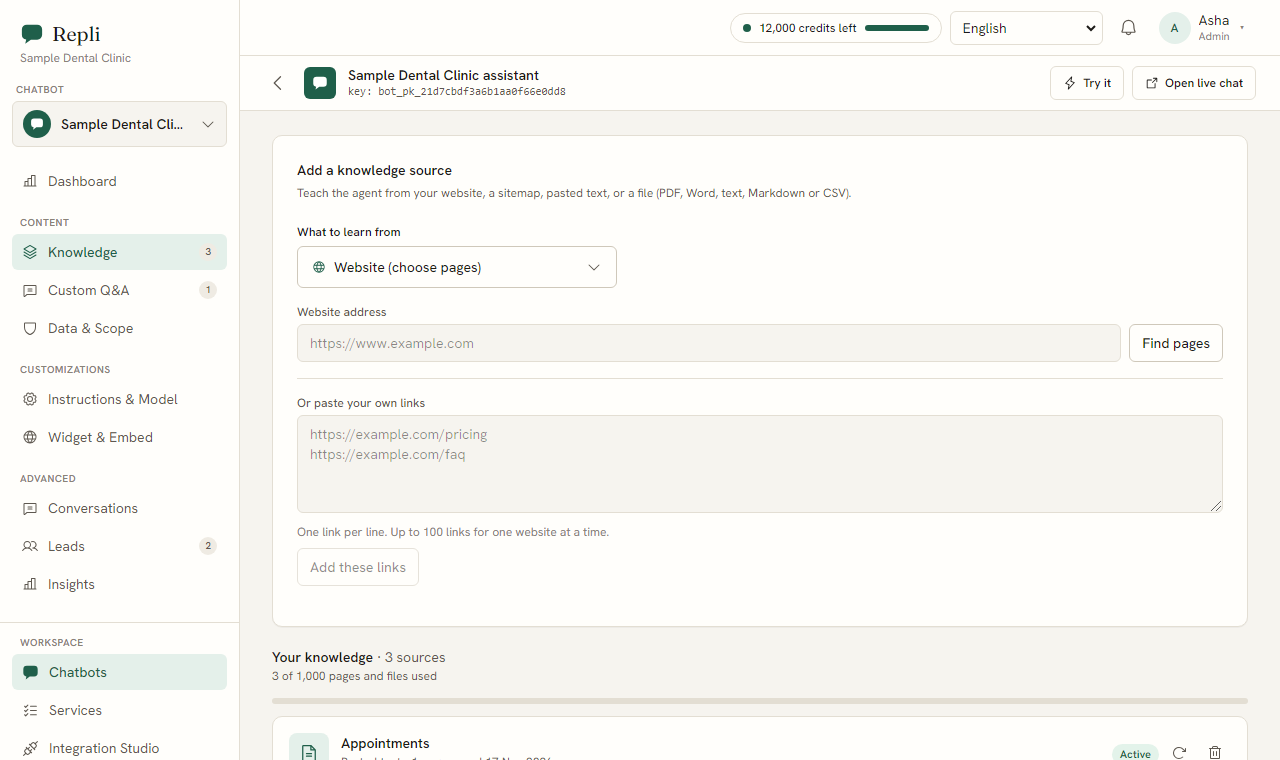
Step 4: Under Custom Q&A, add saved answers for common questions that might not be fully covered in your documents.
For example, "What are your holiday opening hours?"
Step 5: Under Instructions and Model, set the tone for your chatbot.
Do you want it to be friendly and helpful, or more formal and direct? You can also give it specific rules, like always mentioning your delivery radius.
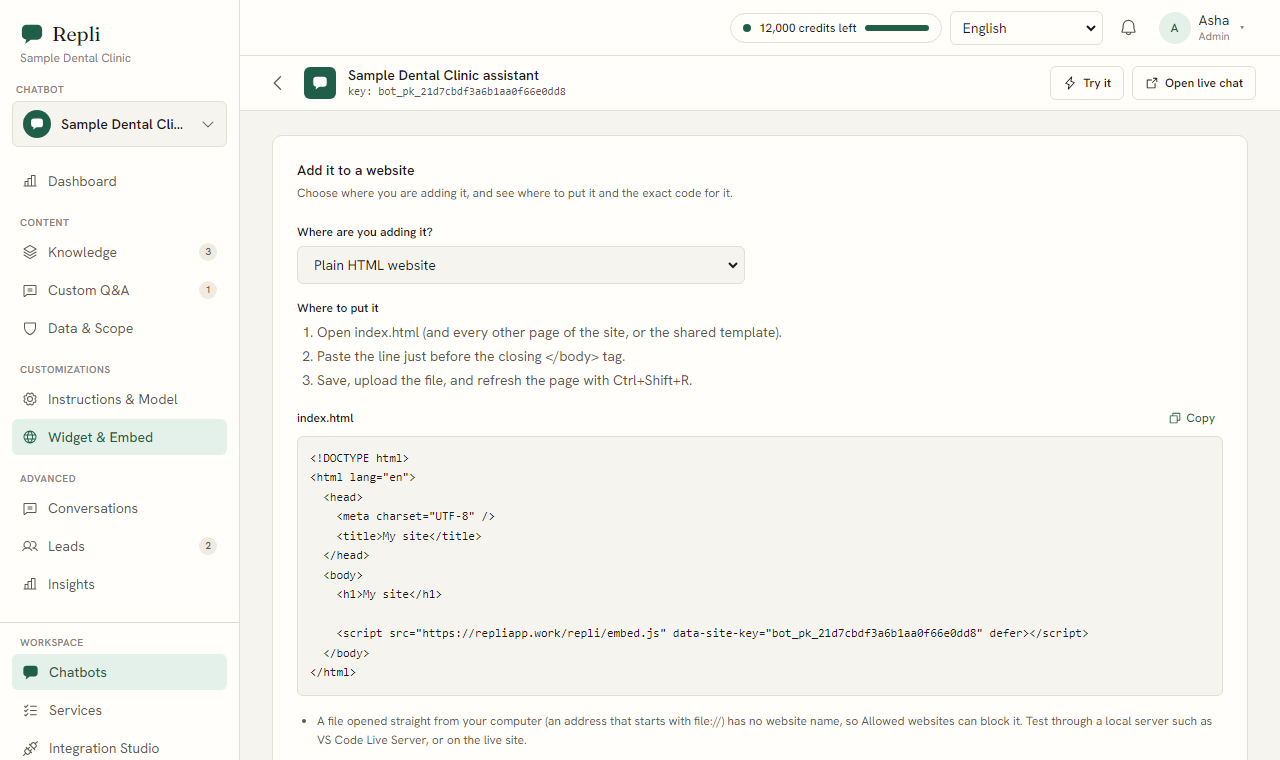
Step 6: Under Widget and Embed, copy one line of code (a script tag).
Paste this into your website's code, usually in the footer. The chat widget will then appear in the corner of your website in your chosen colours.
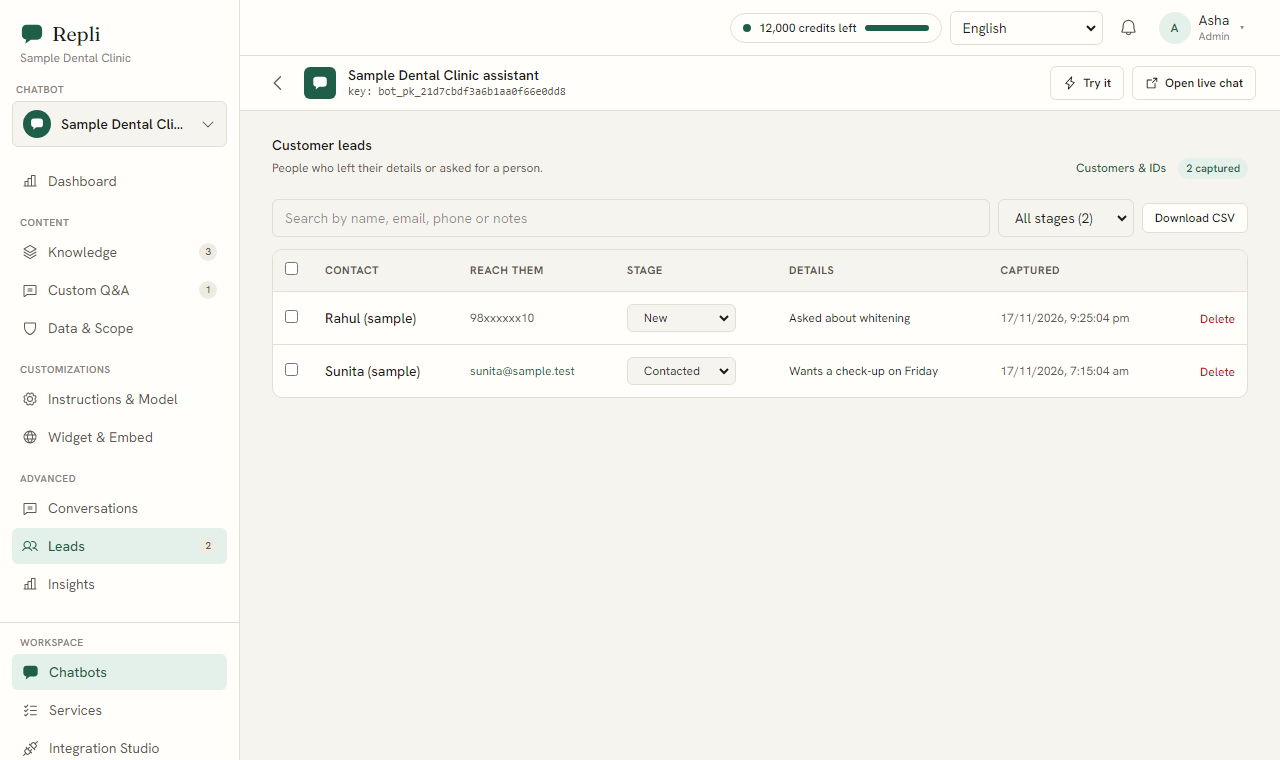
Step 7: Under Leads, set up a lead form to collect customer names, emails, and phone numbers.
This is useful for following up on specific product inquiries.
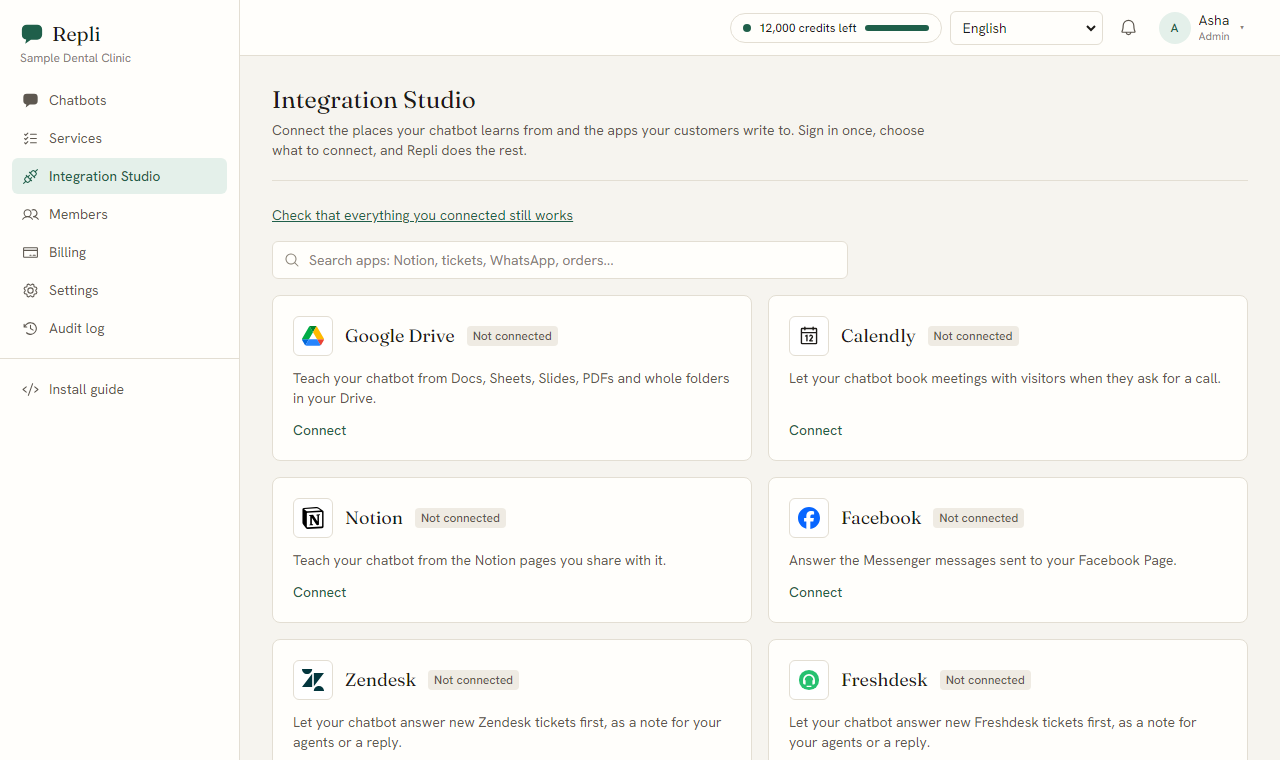
Step 8: Under Integrations, connect services like Calendly if you offer appointments for fittings or consultations.
You can also connect Google Drive or Notion if you keep product information there.
Note: Make sure your uploaded files are up-to-date. The chatbot can only answer based on the information you provide.
What will your shop's chatbot say?
Here are some examples of questions customers ask and how your Repli chatbot would answer, using information from your own content.
- Customer: "Do you have the blue dress in a size M?"
Chatbot: "Yes, according to our current stock list, the blue dress is available in size M. You can find it in aisle 3." (from your product inventory file)
- Customer: "What are your store timings on weekends?"
Chatbot: "Our shop is open from 10 AM to 6 PM on Saturdays and 11 AM to 5 PM on Sundays." (from your store hours document or website)
- Customer: "Do you deliver to Hyderabad?"
Chatbot: "Yes, we deliver to all areas within Hyderabad. Delivery charges may apply, as outlined in our delivery policy." (from your delivery policy file)
- Customer: "What is your return policy for electronics?"
Chatbot: "For electronics, items can be returned within seven days of purchase with the original receipt, provided they are in their original packaging and unused. Please see our full return policy for details." (from your return policy document)
- Customer: "Can I book a personal shopping appointment?"
Chatbot: "Yes, you can book a personal shopping appointment through our Calendly link. Please select a convenient time there." (from your Calendly integration)
Common questions
- Question? How long does it take to set up?
Answer. Setting up Repli can be done in minutes. The time it takes depends on how much content you have to upload and how many custom answers you want to add.
- Question? What if the chatbot doesn't know an answer?
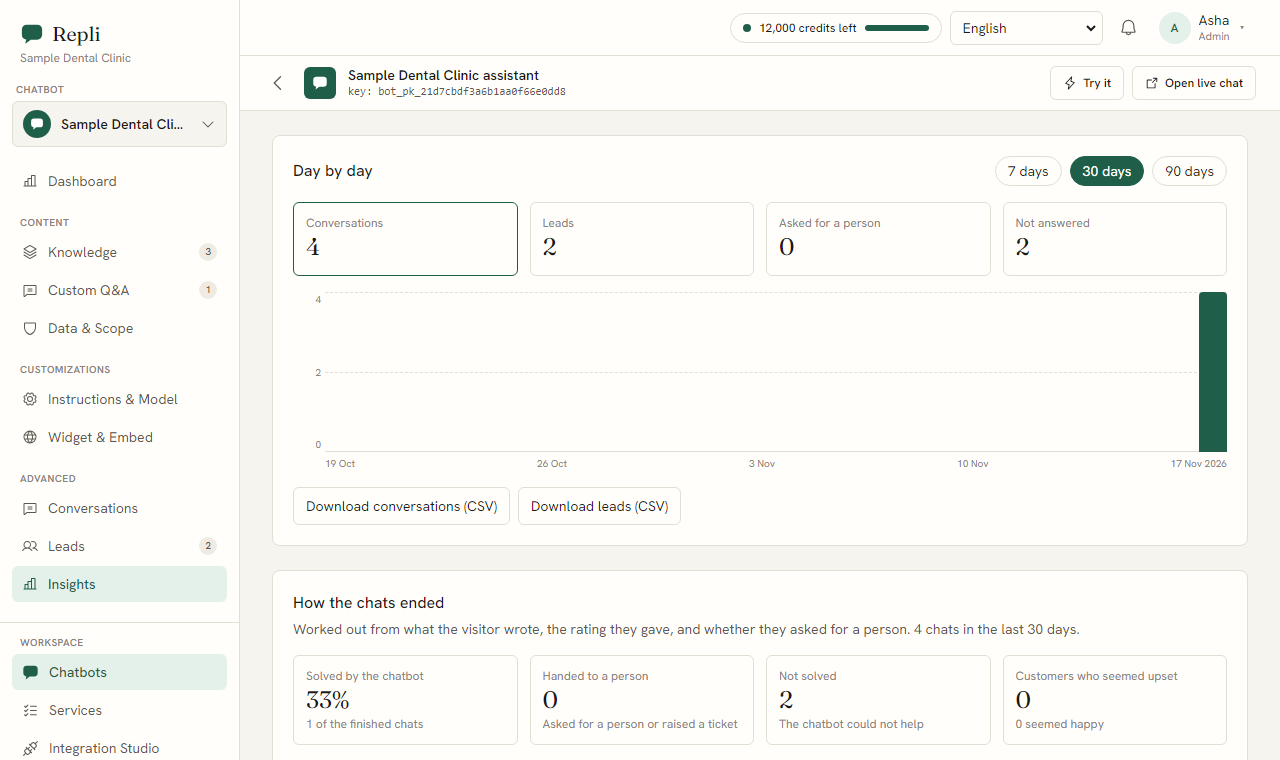
Answer. Repli is designed to say when it does not know. Under Insights, you will see questions it could not answer. You can teach it the correct answer with one click.
- Question? Can I talk to a customer myself through the chatbot?
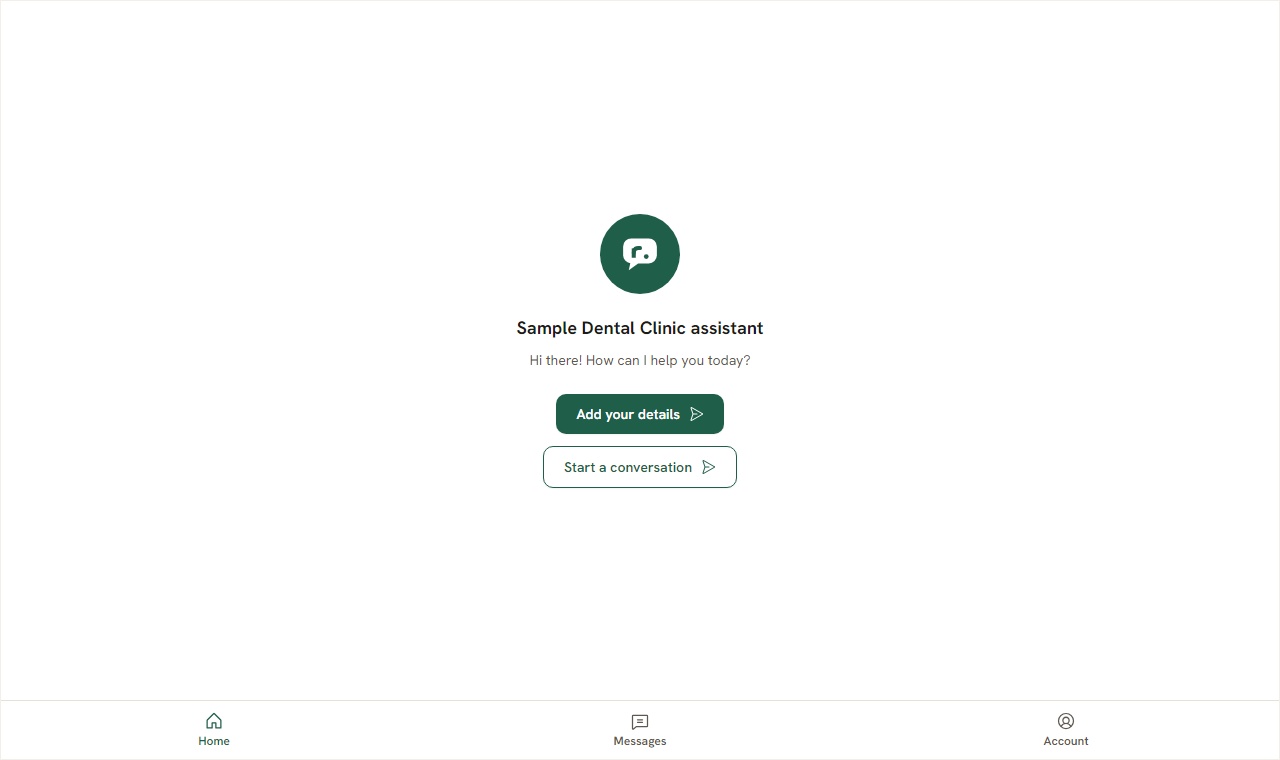
Answer. Yes. If a visitor asks to speak to a person, your team is alerted. You can join the same chat, and Repli will stay quiet while you talk.
- Question? Can the chatbot collect customer contact details?
Answer. Yes, Repli can collect a lead form asking for the visitor's name, email, and phone number. These leads are then visible under the Leads section.
- Question? What languages does it support?
Answer. Repli replies in the language the visitor writes in, including Hindi and Telugu, as far as the AI model supports it.
What to do next
Ready to see how Repli can help your shop? You can try Repli on your own website right now to see how it learns from your content. Explore the features of Repli to understand its full capabilities for your business. When you are ready, signing up is simple, and you can begin setting up your shop's chatbot right away.
See a chatbot trained on your own website
Paste your address and try it, with no sign-up.