Blog · real estate developers and agents
Setting up a chatbot for your property development website
Learn how to set up Repli, an AI chatbot for property developers and real estate agents, with a step-by-step guide.
By the Repli team · · 7 min read
The short answer
A property developer can set up Repli, an AI chatbot for business websites, by feeding it project details like brochures and price lists. This helps it answer common customer questions about properties and site visits.
Key points
- Repli learns from your website and files, such as project brochures and price lists.
- You can set specific answers for common questions visitors ask.
- The chatbot can collect leads and alert your team when a visitor asks for a person.
- You can review all conversations and teach Repli new answers easily.
Why a chatbot matters for property developers
Property development is a fast-paced business with many customer inquiries. Potential buyers often have similar questions about project details, pricing, and availability. Answering these questions quickly and accurately can make a big difference. If you are a property developer or real estate agent, your website is often the first point of contact for interested buyers. They might visit at any time, day or night, and expect immediate information.
A chatbot on your website helps you provide instant customer service. It can answer questions about your projects even when your team is not available. This means you do not miss out on potential leads just because someone visited your website after hours. It can also free up your sales team to focus on more complex inquiries and closing deals. Instead of repeatedly answering basic questions, your team can spend their time more effectively.
Step-by-step: Setting up Repli for your properties
Setting up Repli for your property development website involves a few simple steps. You will teach it about your projects and then add it to your website.
Step 1: Sign up and choose your business type.
Go to the Repli website and create an account. When prompted, select "Real Estate" or "Property Developer" as your business type. This helps Repli tailor some initial settings for you.
Step 2: Feed Repli your project knowledge.
Open the "Knowledge" section. Start by adding your website address or sitemap. Then, upload all your important documents. This includes project brochures, price lists, floor plans, payment schedules, and policies. You can also add notes about common questions or specific project features.
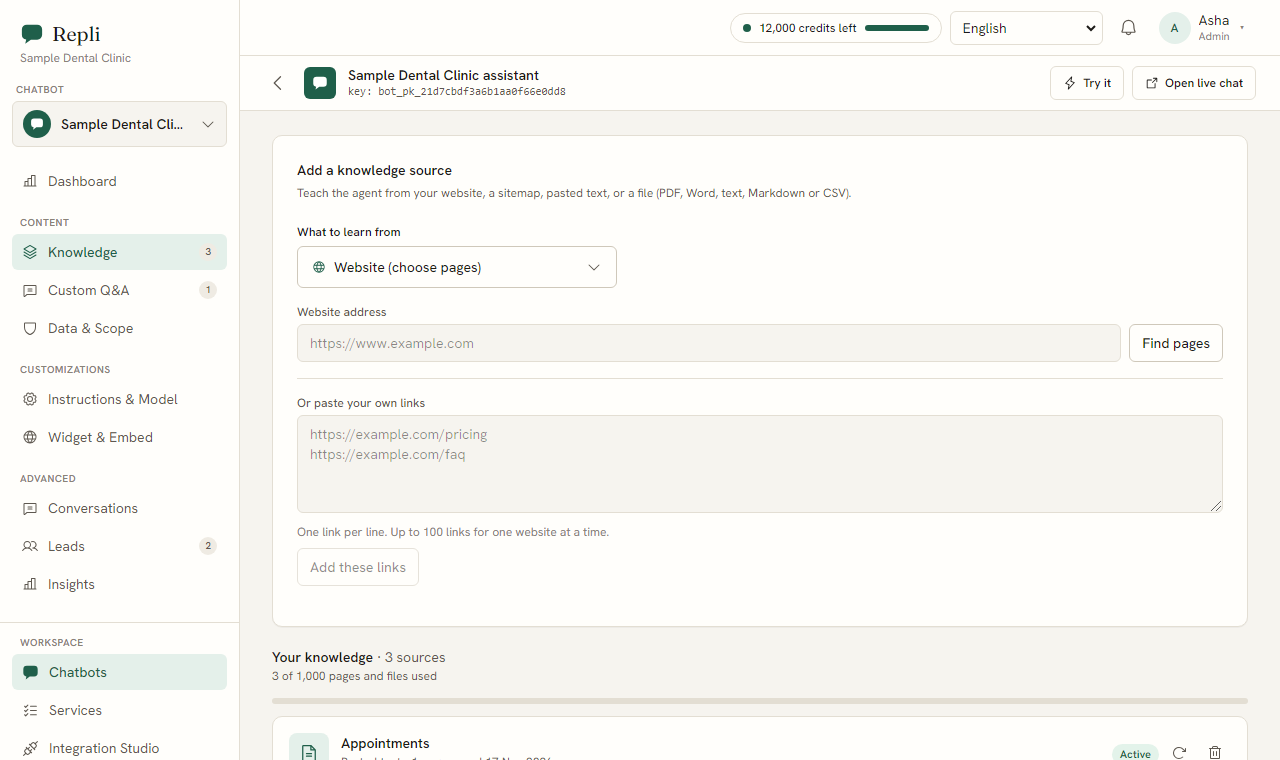
Tip: The more information you provide, the better Repli will be at answering questions about your properties.
Step 3: Add saved answers for common questions.
Go to "Custom Q&A." Here, you can add specific answers for very common questions that visitors ask. For example, you might add a saved answer for "What are the common payment plans?" or "What are the amenities available?"
Step 4: Set the chatbot's tone and rules.
Navigate to "Instructions and Model." Here, you can define how Repli should communicate. You can set a friendly tone and specific rules, like always confirming that it is answering from your own provided information. For legal or financial questions, you can instruct it to pass such inquiries to a human team member, stating that it does not provide professional advice.
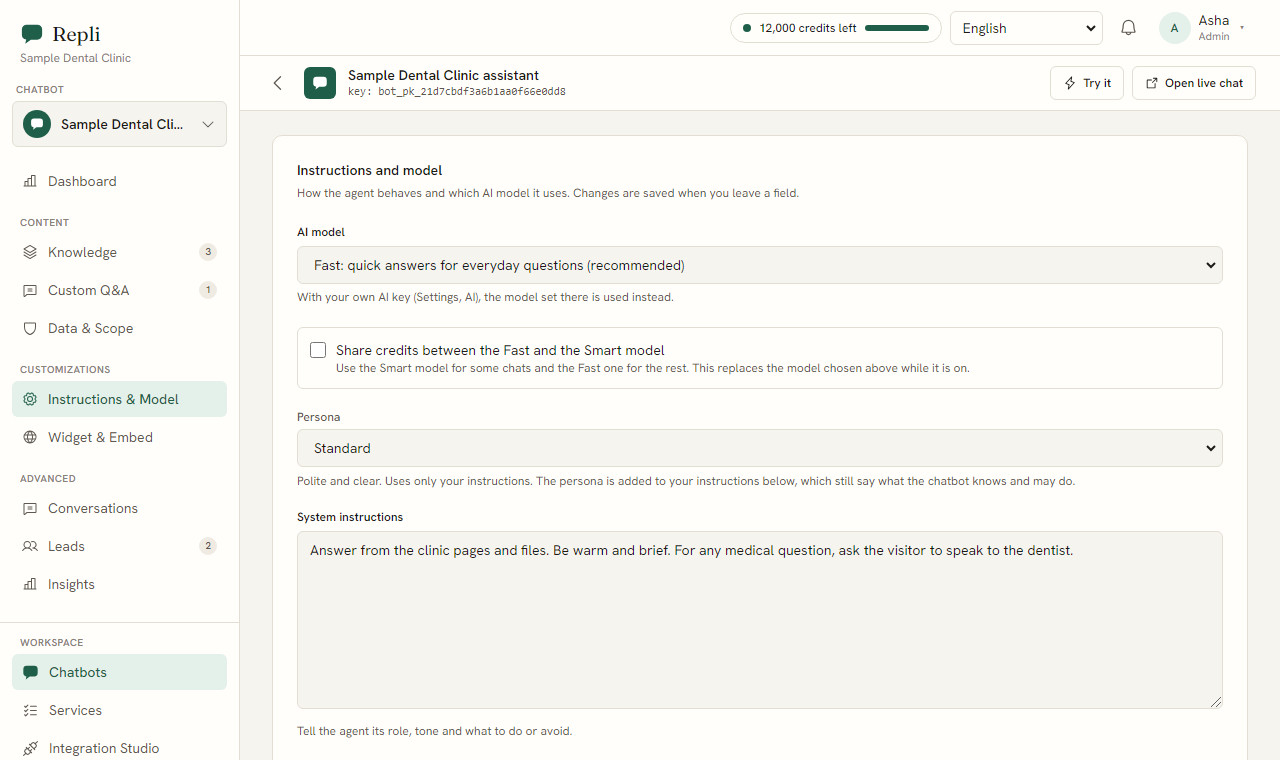
Step 5: Integrate with your website.
In the "Widget and Embed" section, you will find a single line of code. Copy this script tag. Then, paste it into your website's code, usually before the closing body tag. The chatbot will then appear in the corner of your website, in colours you choose.
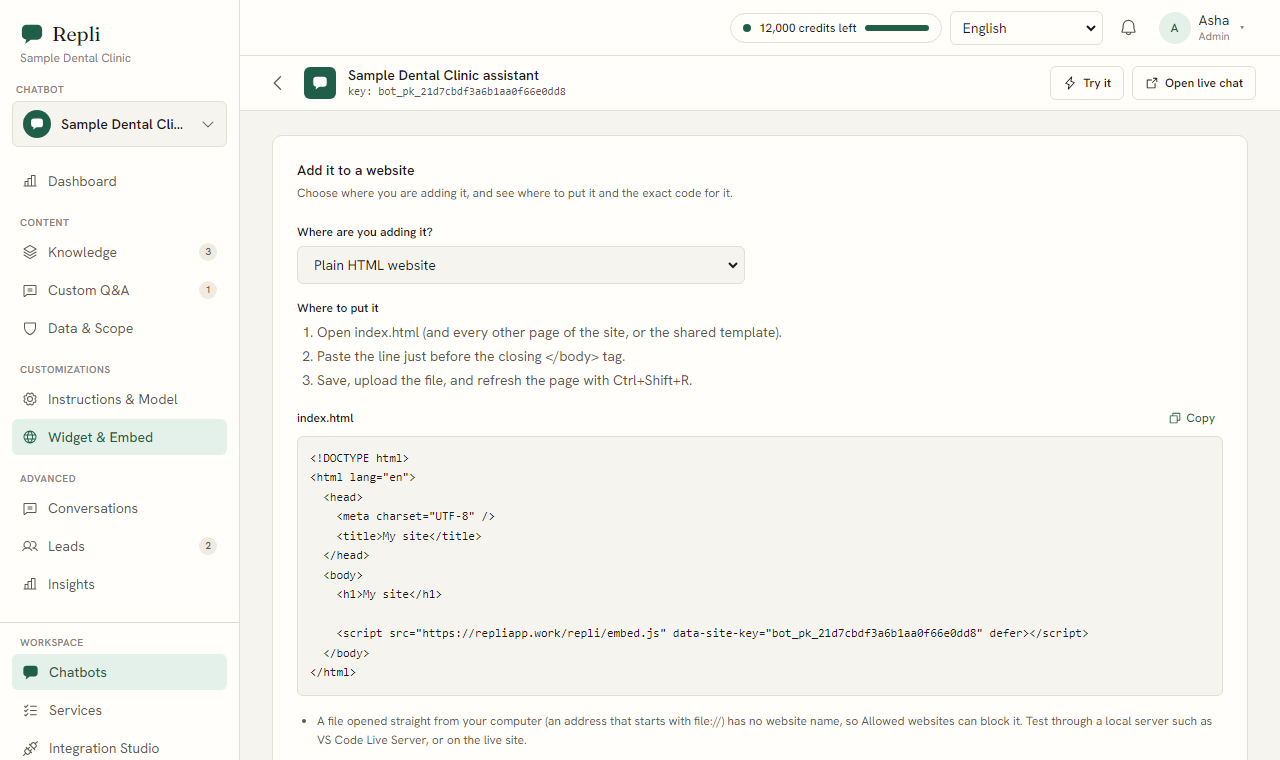
Note: If you are unsure where to paste the code, your website developer can help you with this quick step. You can also find more detailed instructions on how to install Repli on your website.
Step 6: Set up lead collection and team alerts.
Under "Instructions and Model," you can enable the lead form. Repli can then ask visitors for their name, email, and phone number. Also, configure alerts so your team is notified when a visitor asks to speak to a person. Your team can then join the same chat.
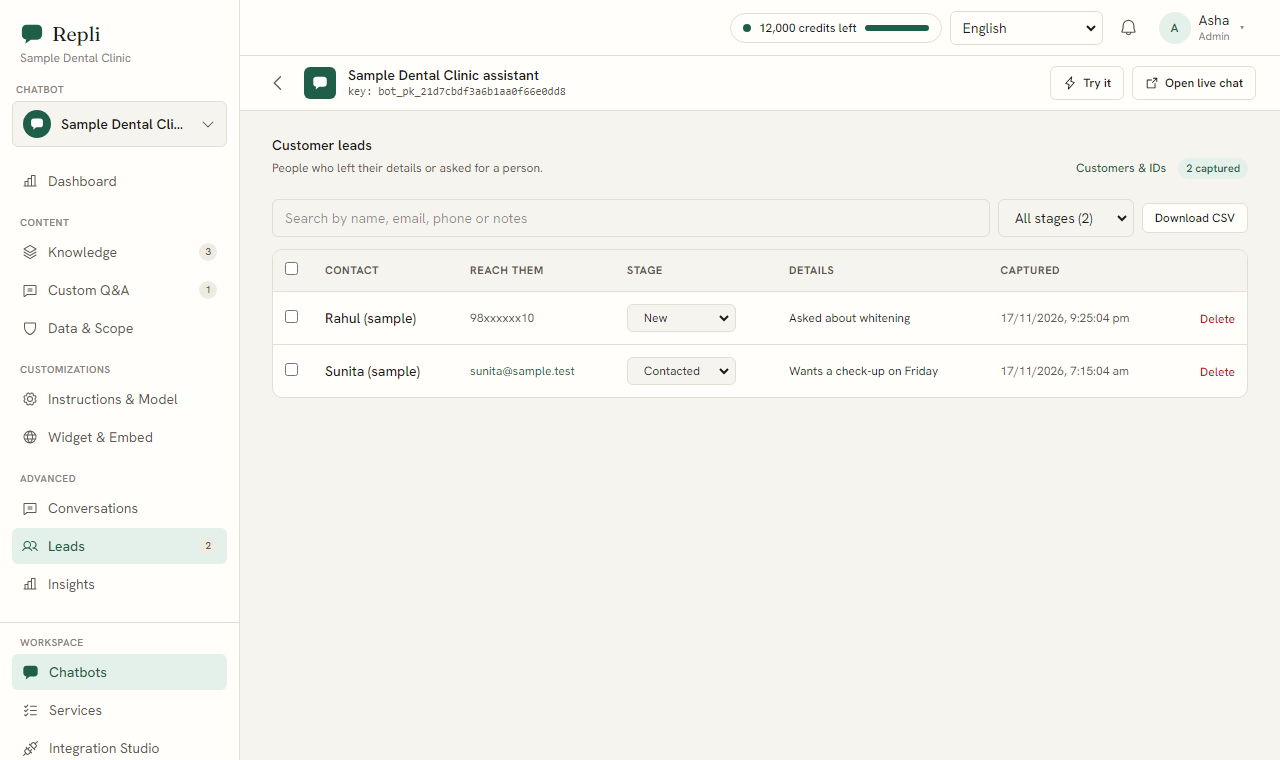
Step 7: Connect other data sources (optional).
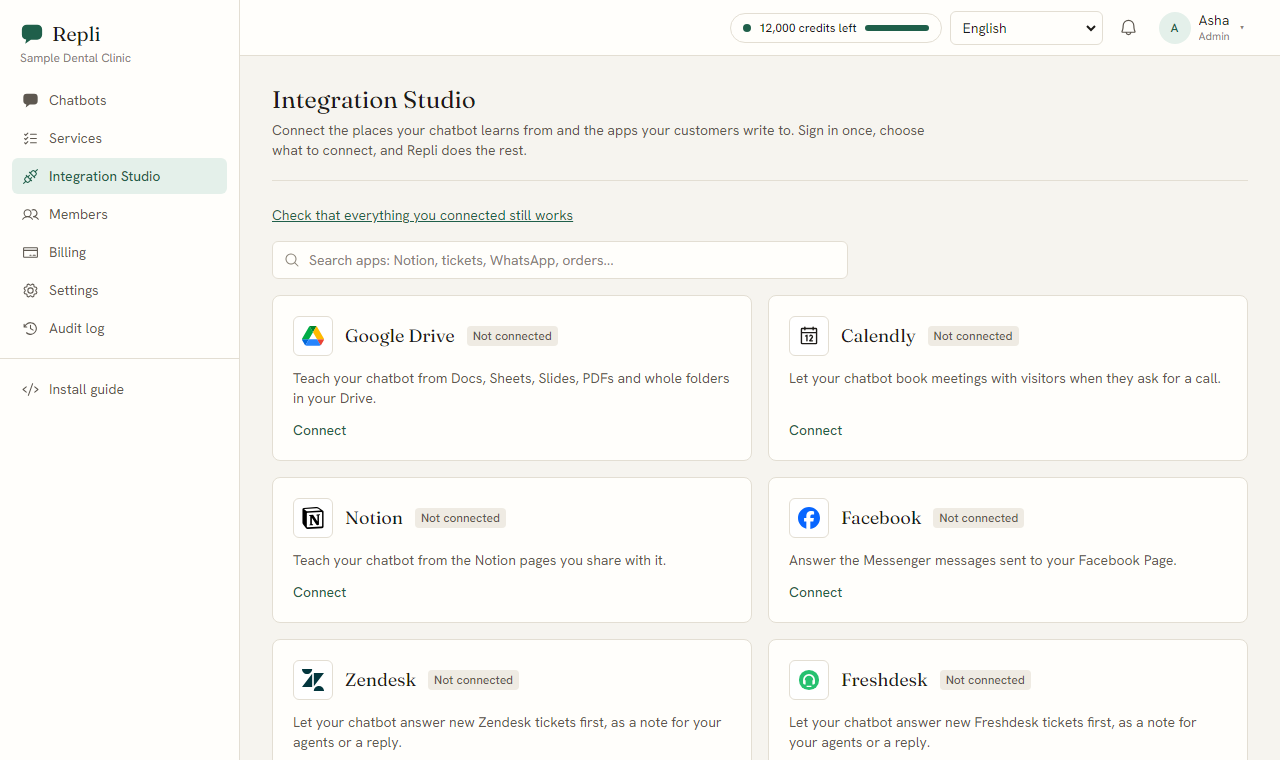
If you use Google Drive or Notion for project documents, or Zendesk/Freshdesk for customer tickets, you can connect these in the "Integration Studio." Repli can then learn from these sources too.
Step 8: Review and refine.
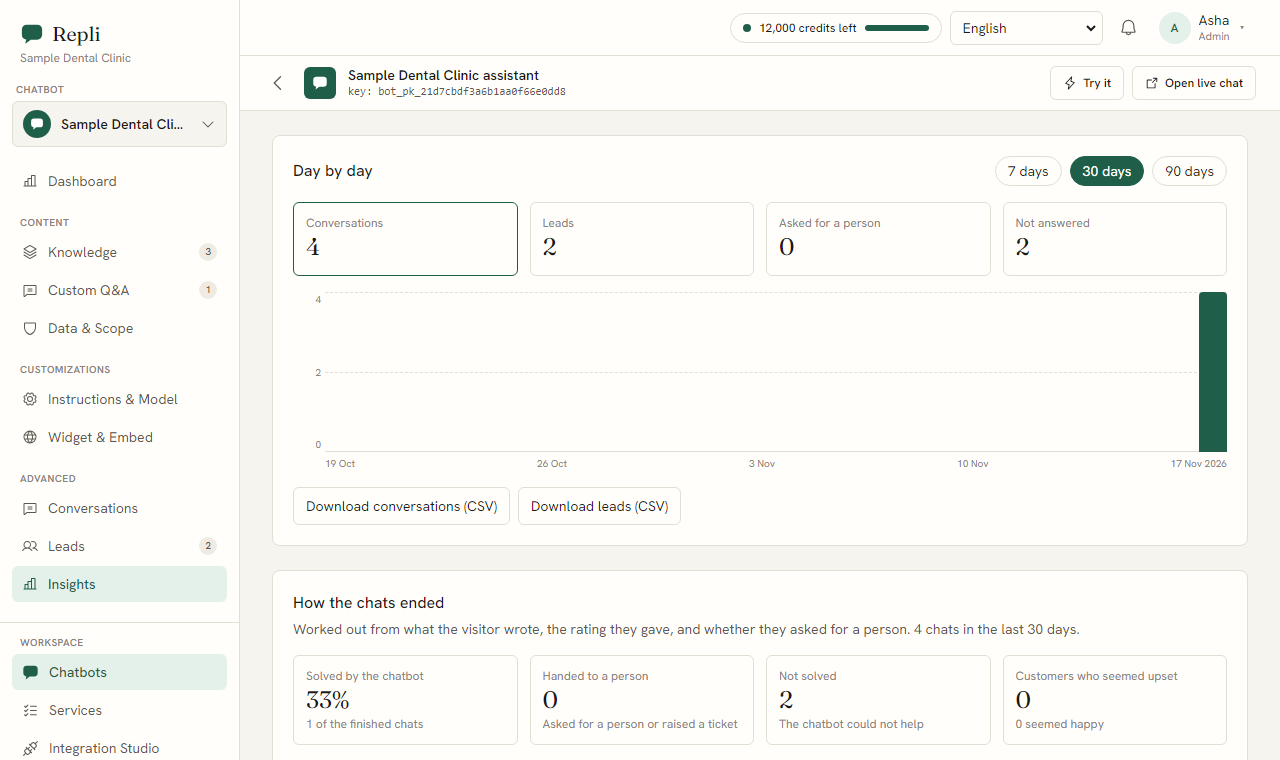
Once Repli is live, regularly check the "Conversations" section to see how it is interacting with visitors. Under "Insights," you can see questions it could not answer and teach it the correct responses with one click.
You can also learn more about managing conversations with Repli.
What questions can a property chatbot answer?
Potential buyers often ask specific questions about properties. Here are examples of how Repli can use your provided information to answer them:
- Customer question: "What is the price of a 3 BHK in Project Skyview?"
- Repli's answer: "Based on the price list for Project Skyview, a 3 BHK apartment starts from [price range] and varies based on the floor and specific unit. Would you like details on available units?" (Repli pulls the price range directly from your uploaded price sheet.)
- Customer question: "When is possession for The Grand Residency?"
- Repli's answer: "According to the project schedule for The Grand Residency, the expected possession date is [month, year]. Please refer to your agreement for exact dates." (Repli provides the date from your project documents.)
- Customer question: "Can I visit the site on Sunday?"
- Repli's answer: "Yes, site visits are available on Sundays between [start time] and [end time]. Please let me know if you would like to schedule a specific time." (Repli uses your site visit schedule or general instructions.)
- Customer question: "What are the loan approval notes for Project Green Acres?"
- Repli's answer: "For Project Green Acres, we have tie-ups with [Bank A] and [Bank B]. You can find detailed loan approval notes and required documents in the 'Loan Information' section of the project brochure." (Repli directs the customer to the relevant document.)
- Customer question: "What amenities are included in Project Serenity?"
- Repli's answer: "Project Serenity offers amenities such as [list of amenities from brochure]. You can find a complete list and details in the project brochure." (Repli lists amenities from your uploaded brochure.)
Common questions about setting up a property chatbot
Here are some questions property developers often ask about using Repli:
- Question? Can Repli handle questions in different languages?
- Answer. Yes, Repli replies in the language the visitor writes in, including Hindi and Telugu, as far as the AI model supports it. This helps you serve a wider range of customers.
- Question? How do I make sure Repli gives accurate information?
- Answer. Repli answers visitors from your own provided pages and files, and says so when it does not know. The more accurate and complete the information you upload under "Knowledge," the more accurate its answers will be.
- Question? What happens if a customer asks for a person?
- Answer. The chatbot can collect a lead form, and visitors can ask for a person. Your team is alerted and can join the same chat. The chatbot stays quiet while your team talks.
- Question? Can Repli help with scheduling site visits?
- Answer. Yes, Repli can offer a Calendly link for bookings. You can set up your Calendly to manage site visit appointments, and Repli will share the link with interested visitors.
- Question? Is my project data kept private?
- Answer. Yes, information of each account is kept separate from every other account. Your project details are kept private and are only used to train your specific chatbot.
What to do next
Ready to see how Repli can help your property development business? You can try Repli on your own website without signing up to see how it works, or explore how Repli works for real estate developers and agents. try Repli on your website see how Repli works for real estate developers and agents
See a chatbot trained on your own website
Paste your address and try it, with no sign-up.